The Spoken Number Test: Is Your UK Support Line Ready for a Smart Speaker?
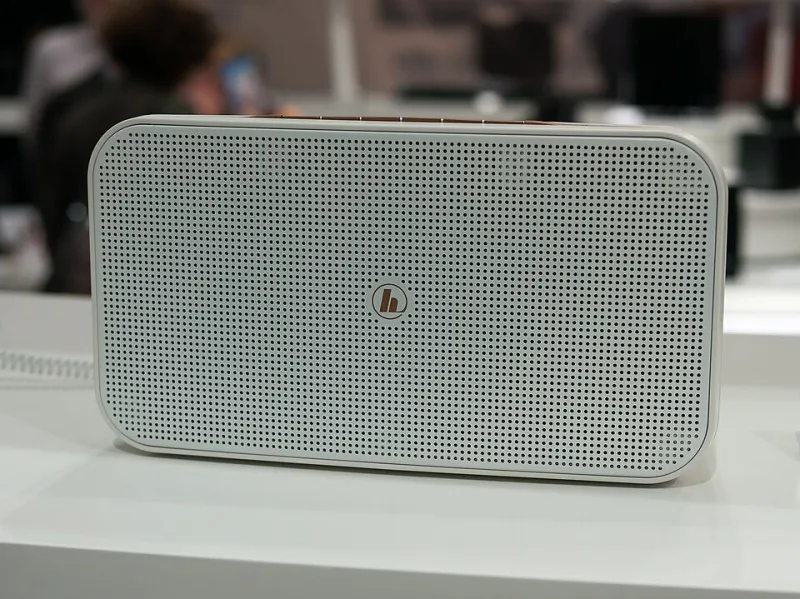
Photo: Matti Blume, CC BY-SA 4.0, via Wikimedia Commons
Picture the scene. Someone is up to their elbows in a Sunday roast in a Manchester kitchen and the broadband has just given up. They do not want to find a phone, unlock it, search a website and squint at a footer. They say: 'Alexa, call Acme support.' If the assistant does not recognise the request, the call never happens. The customer has not been rude. They have just hit a route your business did not know it had.
Voice calling is another front door
Smart speakers are no longer novelty radios. In plenty of UK homes, Alexa, Google Nest and Siri through a HomePod are used for timers, weather, music and the odd phone call. The exact calling route depends on the device, the account and the settings. Some assistants call saved contacts. Some hand off to a linked mobile. Some use a linked number or a household calling setup.
The common thread is simple: an assistant needs a clear name or number to work with. It is not a walking directory of every UK business. It leans on contacts, maps, search listings, linked accounts and whatever the caller actually says. That means voice dialling is less about a magic integration and more about data hygiene. If your support line is listed inconsistently, or only exists as a clickable link, a voice caller may never reach it.
Why pronunciation is part of your phone number
Business names with numbers, initials, apostrophes or unusual spellings are a particular risk. Is it 'A B C Plumbing' or 'ABC Plumbing'? Is 'St Jude's' said with a possessive or without? Does the assistant hear 'double two' as two separate digits or as a confused pause?
Support teams should decide how the name is said out loud, then use that phrase consistently. If you publish a voice prompt, keep it plain: 'You can also say: call Acme Support.' Put the same phrase on your contact page, your Google Business Profile and any printed material. Do not make customers guess which version of your name the machine prefers.
Phone numbers are worse. UK numbers often get read in chunks: oh-one-double-two, three-four-five, six-seven-eight. Assistants may hear 'oh' as zero or 'double' as two digits. A spoken number alone is a fragile thing. A contact listing with the number attached is far more reliable.
The contact-list trick most teams miss
Ask yourself what a customer would need saved in their phone or linked account for the assistant to find you. If the answer is nothing, test what happens. On many devices, the assistant can call a number if it is in the user's contacts. It may also use a business listing if the name and number match across sources. There is no single 'business directory switch' to tick in every assistant. The practical move is consistency: your business name, support label and main number should look the same on your website, Google Business Profile, Apple Maps, Bing Places and the main UK directories.
Do not forget the display name. 'Acme Support' is easier to say than 'Acme Holdings (UK) Limited — Customer Services'. If customers naturally say 'Acme support', use that phrase. A contact entry called 'Acme Support' with the right number is more useful than a legal name nobody speaks out loud.
A five-minute voice-dialability test
- Say the request as a customer would. Do it in a normal voice, from a normal distance, not standing over the speaker like a newsreader.
- Try the number spoken slowly, digit by digit. Then try it as a UK caller would say it. If the assistant hears a different number, you have found a problem.
- Add yourself as a contact with the exact name you want customers to use. Ask the assistant to call that contact. This tests the contact route rather than the directory route.
- Test on a fresh account or a colleague's phone that is not logged into your business. Your own devices may know more than a stranger's.
- Check the listing trail. Search for your business name and support number on a phone. If the number is wrong on one major listing, fix it before assuming voice calling is broken.
- Call after hours. A voice call that reaches a dead line or a confusing voicemail is still a failed call. The assistant did its job; the phone system did not.
- Listen for the handover. If the call connects, can the caller tell they have reached the right place? A short greeting beats a long menu when someone is already holding a broken router.
Make the fallback obvious
Not every voice call will connect, and that is fine. What is not fine is leaving customers with no next step. Put your number on the contact page as plain text, not just a button. Keep a tap-to-call link for people who do have a screen. Offer a callback route for anyone who cannot wait. And remember that voice is not accessible for every customer, so do not make it the only way to reach support.
If you use a call-tracking number, check that the number customers see in maps and listings is the one you want assistants to find. A tracking number that changes by channel can confuse both people and machines. The number a smart speaker finds should be the number that actually gets answered.
What to fix this week
Pick one spoken name for your support line. Choose one format for the number and use it everywhere. Update your three most important listings. Add a short line to your contact page explaining how to ask a smart speaker to call you, if that suits your audience. Then re-test next month. Voice assistants change quietly, and a listing that worked in the summer may not be the one a device reads out in the winter.
The bottom line
Smart speakers are not replacing the phone. They are adding a doorway. Most of the time that doorway is built from boring things: a consistent business name, a correct number, a sensible contact label and a listing that agrees with itself. Get those right and a customer can say 'call support' without needing a screen, a search box or a free hand. Get them wrong and you lose a call without ever seeing a missed-call notification.