Hello, Is That Doris? Designing a Support Line for the Least Confident Caller

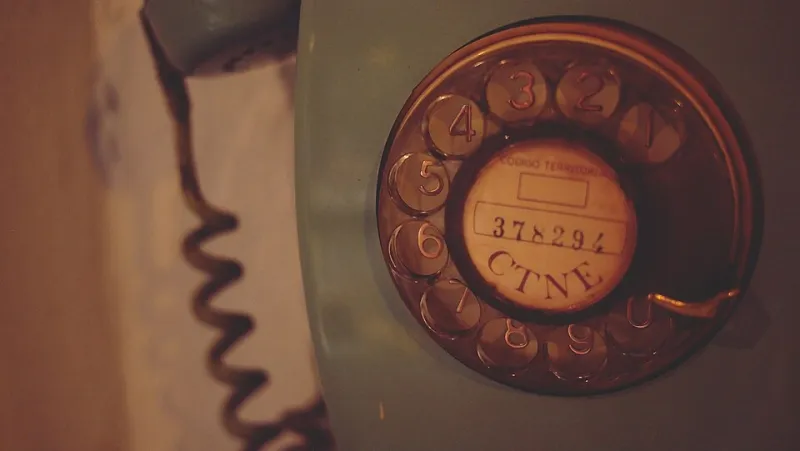
Photo: Martin Hricko, CC BY 3.0, via Wikimedia Commons
Somewhere in your customer base there is a person who has written your number on the back of an envelope, sat down with a cup of tea, and is now steeling themselves to ring you. They are not relaxed. They may be hard of hearing. They probably have a basic handset with a slightly quiet earpiece. And if your line makes them feel stupid, they will apologise, hang up, and never ring again.
We spend a lot of time in UK telecoms measuring things that are easy to measure: uptime, minutes, answer rates, average handling time. Almost none of it tells you whether a 78-year-old with a billing query can get through the call without feeling like a nuisance. That's the gap the grandparent test is meant to fill.
What the test actually is
It's simple and slightly uncomfortable. Ask someone who isn't confident with technology — a grandparent, an older neighbour, a colleague's mum — to ring your support line with a realistic problem while you listen. Not to test the system. To test the experience.
You're watching for hesitation, for the moment they say "oh, it's one of those automated ones", for the pause where they've forgotten which option was which. Those moments are your real user research, and no amount of call-log data will surface them.
If you can't find a volunteer, do it yourself, but do it properly: on a basic handset, at the volume you'd use in a quiet room, with a real question and no shortcut knowledge. Then be honest about how it felt.
Menus that don't rush people
Confident callers skim a menu. Less confident callers try to memorise it. If your recorded voice delivers four options in eleven seconds, the second group is still processing option one when option four lands.
Practically, that means:
- Speak slowly, with a clear gap between options. A beat of silence costs you nothing.
- Say the option number after the description, so the caller hears the task first and the keypress second.
- Repeat the menu at least once before doing anything drastic.
- Never time out into a disconnect. Time out into a person, or into a message that says what happens next and when.
- Announce the zero key. "If you'd rather speak to someone, press zero at any time." It's the single most reassuring sentence on any support line.
If your menu starts with "please listen carefully as our options have recently changed", delete that. It's a threat, not a greeting.
Read the number back. Then read it again.
Half the anxiety in a support call comes from the caller not being able to write things down fast enough. Reference numbers, booking codes, case IDs — these are the bits people get wrong, and then worry about.
Three habits fix it:
- Read numbers in short chunks — "four, seven, two... nine, one, five" — not as a single blur.
- Read them twice without being asked, and say so: "I'll say that again."
- Offer to send it by text. Most callers would rather have it in writing anyway.
This costs perhaps fifteen seconds of a call. It saves an entire second call, and it stops someone feeling foolish for asking you to repeat yourself.
Promises about callbacks need a finish line
"We'll call you back" is a phrase that has been thoroughly worn out. From the caller's side, it's a leap of faith with no landing date. Nervous callers, in particular, will sit by the phone all afternoon rather than go out, because they don't know when to expect you.
So put a number on it. "We'll ring you back within two hours, and if it's going to be later than that, I'll text you." Then make it real: log it somewhere, give it an owner, and treat a missed callback as a service failure rather than an oversight.
If you can't promise a tight window, promise a specific one. "Before five o'clock today" is better than "sometime this afternoon", because it has an edge you can be held to.
Don't build a dead end out of an app
This is the fix UK firms are most likely to get wrong, and it's become more common as operations move online.
Suppose a customer needs to change a delivery address. The website says log into your account. The account login needs an email verification code. The email address on file is one they set up years ago and can no longer access. Somewhere in that chain is a human who could fix it in ninety seconds — but only if the phone line treats them as a customer rather than a routing error.
So build in the off-ramp. Every automated flow needs a visible route to a person for the caller who cannot complete it: not a chatbot loop, not a form, not "please use the app". A human, or a genuinely fast callback.
One useful line for your team: if a caller says they can't use the website, the answer is never "you'll have to use the website".
What to fix this week
You don't need a project. Pick three:
- Slow the menu down and add the zero announcement. This is a fifteen-minute recording job.
- Add a readback habit to your call notes, and put a two-line script on the desk so everyone does it the same way.
- Give callbacks a clock: a number, an owner, and a text if you're running late.
Then next week, ring your own line on a basic handset and try to get something done. If it feels fine, try it again with someone who isn't sure. That's the honest test.
Why it's worth the effort
The callers who need the most reassurance are often the ones who've been with you longest, or who are ringing about something genuinely worrying — a bill they don't understand, a repair that hasn't happened, a hospital appointment booked through your service. They are also the least likely to complain. They just quietly stop calling, and then quietly stop being customers.
A line that's kind to the least confident caller is a line that's easy for everyone else too. Nobody has ever complained that a phone menu was too clear, that a number was read back too carefully, or that a callback arrived when promised. Build for the envelope-and-teacup caller, and the rest takes care of itself.