Before the Minced Pies: A Christmas 2026 Out-of-Hours Phone Checklist for UK Teams

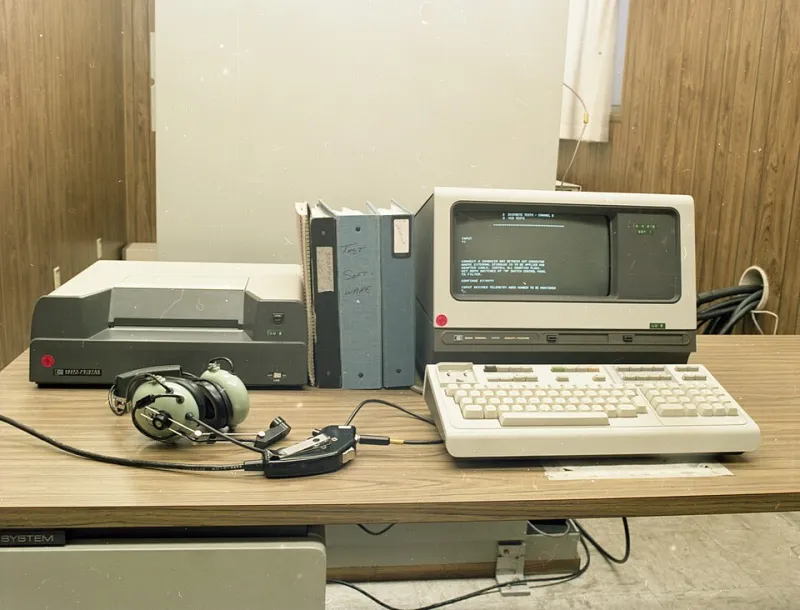
Photo: Francisclarke, CC BY-SA 4.0, via Wikimedia Commons
Christmas 2026 is not a normal week for UK phone lines. Christmas Day falls on Friday 25 December. Boxing Day is Saturday 26 December, with the substitute bank holiday on Monday 28 December. New Year’s Day lands on Friday 1 January 2027. That gives you a strange sandwich of closed days, possible open days and another closure just when everyone has relaxed.
If your phone system still says 'Merry Christmas' on 4 January, callers will notice. If your website says 'closed for the holidays' but your team is actually working on 29 December, you have created confusion for no reason. This checklist is here to stop that.
1. Draw the real rota first
Before you touch the IVR, write down who is actually available. Not who you hope is available. Who will answer the phone, at what time, and what happens if they miss it? Include Friday 25 December, Saturday 26 December, Monday 28 December and Friday 1 January 2027. If you are open between Christmas and New Year, say which days and hours.
Give one person ownership of the phone plan. A rota with three owners is a rota with no owner.
2. Record one clear Christmas greeting
Keep it short and specific. A good script looks like this:
'Thank you for calling [company]. We are closed from Friday 25 December to Monday 28 December 2026. We reopen on Tuesday 29 December at 9am. If your call is urgent, please leave a message and we will return it when we reopen. For anything else, email [address].'
If you are open on 29, 30 and 31 December, add that. If you are closing again on 1 January, say so. Do not make callers guess.
3. Set the greeting to expire
Most modern phone systems let you schedule greetings and voicemail messages. Use those dates. Set the Christmas greeting to start at close of business on Thursday 24 December and end when you reopen. Set a separate New Year message if you need one. Then set a reminder to check it on the first working day back.
The worst version of this is a greeting that says 'we reopen on 4 January' when you actually reopened on 29 December. Callers hear a closed sign while you are sitting at your desk.
4. Make voicemail match the greeting
Callers often reach voicemail after one ring. If the greeting says one thing and the voicemail says another, trust disappears. Update the voicemail with the same dates, the same next opening time and the same urgent route.
Check the mailbox capacity too. A full inbox over Christmas means messages bounce, and the caller has no idea. Clear old messages before you close.
5. Route calls on purpose
Decide where calls go when nobody answers. Options include:
- An overflow mobile that someone actually checks.
- An answering service with your Christmas dates and escalation instructions.
- A voicemail box that sends an email alert to the on-call person.
- A clear message that says you are closed and when you reopen.
Do not route calls to a desk phone in an empty office. Do not send them to a manager who is on annual leave. Test the route from a mobile that is not connected to the office system.
6. Update your website contact page
Your website is often the first place callers check before they dial. Put the dates in plain text. 'Christmas and New Year opening hours 2026' is clearer than 'Festive hours'. List the main number, the emergency route if you have one, and the email address.
If you use a contact form, update the auto-reply. If you use a live chat, update the offline message. If you have a pinned social post, update that too. The phone line and the website should tell the same story.
7. Fix your Google Business Profile
Google Business Profile hours are easy to forget and very visible. Add special hours for Friday 25 December, Saturday 26 December, Monday 28 December and Friday 1 January 2027. If you are closed, mark closed. If you are open, put the actual hours.
This matters because someone searching for your support number on Christmas Eve may see your Google hours before they see your website. If Google says you are open and your phone says you are closed, you have created a small but avoidable frustration.
8. Check the handover notes
If an on-call person is covering, give them a one-page brief. Include the main number, the escalation contact, the opening dates, the voicemail PIN if needed and any known customer issues. Keep it in one place. Do not rely on a WhatsApp message from 23 December.
9. Test the whole journey on 23 December
Call your own main number from a mobile. Press every option a normal caller might press. Leave a voicemail. Check that the email alert arrives. Check that the website hours match the greeting. Ask a colleague to do the same from a different network. It takes 15 minutes and catches the mistakes that are embarrassing on Boxing Day.
10. Plan the January reset
Put a calendar reminder for the first working day back. Remove the Christmas greeting. Restore normal hours. Update Google Business Profile. Check the voicemail. Send any outstanding callbacks. A clean reset is the difference between 'they are on it' and 'they are still on holiday'.
Christmas 2026 gives UK teams a funny old week. A little planning now means callers hear a clear, calm message instead of a festive maze. That is what an easy-to-call support line looks like, even when the office is closed.